
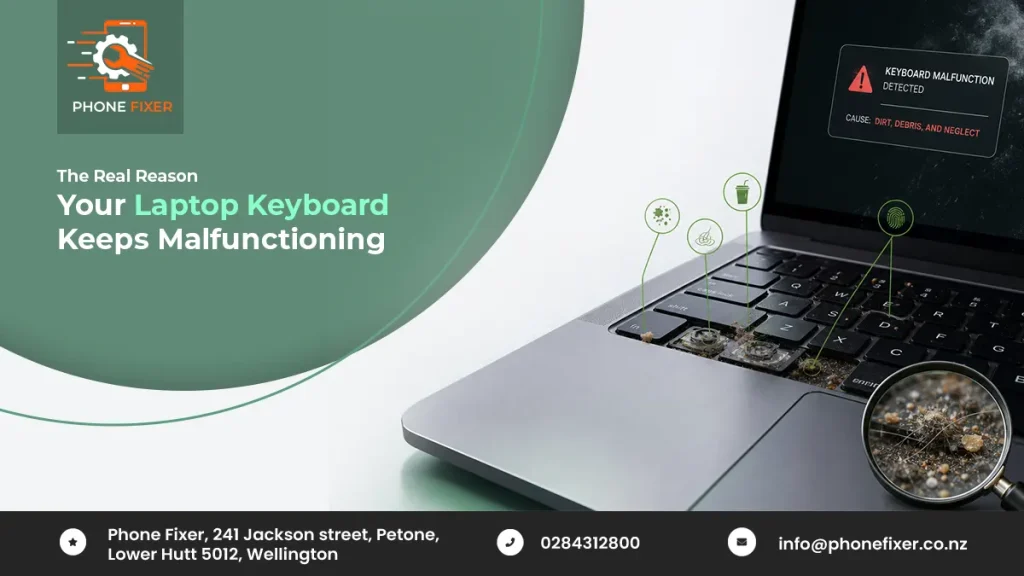
So you’re typing an email and suddenly three keys just stop working or maybe a key type twice when you only pressed it once. Annoying, right? Honestly this happens to way more people than you’d think. Most of us just live with it for months, press harder, blow air into the gaps or wipe it down with a cloth and hope for the best. Sometimes that actually works, most of the time though, it doesn’t.
Here’s the thing about laptop keyboards – they look dead simple from the outside but there’s a whole little world underneath. Wires, sensors, tiny moving parts you never think about until they stop cooperating. One small thing goes wrong down there and suddenly your whole keyboard is acting weird.
We’re going to get into why this actually happens and what you can do about it and if you’re around Lower Hutt with a MacBook that just won’t type properly anymore, we’ll tell you where to get it sorted too.
Why Do Keyboards Start Acting Up in the First Place
A lot of people assume a dodgy keyboard means the whole laptop is on its way out, that’s usually not the case at all. The keyboard is just one piece of the puzzle, it can go bad while everything else runs perfectly fine.
Dust is probably the number one reason. You’d honestly be shocked how much junk falls into a keyboard over the months – crumbs, hair, skin flakes, bits of paper, even sand if you’ve ever used your laptop outside on a beach or a picnic. All of it settles right under the keys, over time that stops the key mechanism from moving the way it should. Which is exactly why one key can feel stiff while the one right next to it works totally fine.
Liquid is the other big one and no, we don’t just mean full-on spills like coffee or chai, even tiny amounts count, a splash of water, condensation dripping off a cold glass sitting nearby, sweat from your palms on a hot day, believe it or not. Doesn’t take much liquid at all to mess with the circuit underneath. Once it gets in there, keys start shorting out or doing their own random thing.
And then there’s just plain wear and tear. If you type a lot every single day, those keys get pressed thousands and thousands of times. Give it a few months and the tiny mechanism under each one starts to give up a bit which is totally normal. Happens to everyone eventually – some people just notice it sooner because they’re on the keyboard more.
The MacBook Keyboard Situation Specifically
Apple’s changed their keyboard design more than once over the years, and not all of them handled dust the same way. If you’ve got one of the models with the butterfly mechanism, you probably already know the drill. Keys getting stuck from something as tiny as a single grain of dust? Yeah, that’s a real thing with these.
It’s a pretty well known issue at this point. Nothing you did wrong, it’s just how that particular design behaves. One speck of dust under a key and suddenly it’s typing the same letter three times, or not registering at all. And once one key starts doing this, usually a couple more join in within a few weeks, it’s not really about age. The design itself is just fussy about small particles getting in.
This is exactly why so many people end up searching for MacBook Keyboard Replacement Lower Hutt once they realise cleaning it themselves isn’t cutting it anymore. A can of compressed air might buy you a day or two but if the mechanism itself is already damaged, that same problem just keeps coming back.
Signs You Need an Actual Replacement Not Just a Clean
Not every keyboard issue means you need a full replacement. Sometimes a proper clean, done right, is genuinely enough but there are a few signs that tell you cleaning alone won’t do the job.
Is a key typing the same letter over and over no matter how lightly you press it? That’s usually a mechanism problem, not dust sitting on the surface. Does a key feel wobbly, or sit noticeably lower than the rest? Something inside has probably shifted or snapped. Have you already cleaned it yourself and the same keys start failing again a week later? That tells you the issue goes deeper than surface dust.
Had any kind of spill on the laptop, even a small one? Don’t just wait around hoping it sorts itself out. Liquid damage under keys almost always gets worse with time, not better, because of corrosion slowly building up underneath.
Trying to fix this yourself with random YouTube tutorials can honestly make things worse. MacBook keyboards aren’t exactly built for easy DIY work. One wrong move popping out a key cap and you might snap the little plastic clip holding it in place and now your small problem just became a much bigger one.
This is exactly why a proper MacBook Keyboard Replacement Lower Hutt job, done with the right tools, beats a Sunday afternoon spent googling how-to videos.
Can You Actually Prevent This
A little bit, yeah. You can’t stop wear and tear completely, nobody can but you can definitely slow it down.
Try not to eat over your keyboard, tempting as it is. Crumbs seem to love hiding under keys. Keep your drinks a bit further away from the laptop instead of right beside it and if something does spill, switch the laptop off immediately. Don’t try to keep using it, let it dry out fully and get it looked at.
Giving your keyboard the occasional clean helps too, a soft brush or a proper keyboard cleaning tool does the trick. Just go easy – too much force can push the dust further in rather than out, which makes things worse.
Even with all the care in the world though, MacBook keyboards can still act up eventually, especially on models that are a few years old now, that’s just how it goes sometimes. At that point it’s less about prevention and more about just getting it fixed the right way.
Why Getting It Fixed Properly Actually Matters
A lot of people put off fixing a keyboard because it doesn’t feel urgent enough. You can still type, just awkwardly, dodging around the keys that don’t respond but it usually gets worse, not better, and every day gets a bit more frustrating – especially if you’re working or studying and typing a lot.
Getting a proper MacBook Keyboard Replacement Lower Hutt means you stop wrestling with your own laptop every time you sit down to work. It protects the rest of the machine too. A damaged keyboard, especially one with old liquid damage sitting under it, can slowly start affecting other parts nearby if it’s left alone for too long.
Conclusion: Get Your MacBook Keyboard Fixed the Right Way
If your MacBook keyboard has been giving you grief, stop putting up with it. Phonefixer does reliable MacBook Keyboard Replacement Lower Hutt, handled by people who actually know these machines inside out.
No guesswork, no risky DIY attempts – just a proper fix so you can go back to typing normally again. Get in touch with Phonefixer today and get your MacBook keyboard sorted the right way.